On the GL X3000, the Web UI only allows setting the fan start temperature as low as 70°C. At first glance that feels a bit high, but it is probably fine.
Are you sure gif
The AP MT7981B is specified for an operating temperature range of -40°C to 125°C, so 70°C is well within spec (1). Still, I wanted the fan to kick in earlier because I am dealing with unwanted random restarts and I wanted to reduce heat as a possible factor. Mine was idling at around 65°C, so waiting until 70°C meant the fan would barely ever run. And honestly, I would rather have a bit more airflow than trust that every single component inside the box is equally happy at those temps.
Here is how to change the fan activation threshold over SSH.
Step 1: Connect via SSH
Step 2: Edit the fan config
Open the fan config file
vi /etc/config/glfan
You should see something like this
config globals 'globals'
option enabled '1'
option sysfs '/sys/devices/virtual/thermal/thermal_zone0/temp'
option warn_temperature '75'
option div '1000'
option temperature '50'Code language:JavaScript(javascript)
The setting that controls when the fan starts is option temperature . Change it to the temperature where you want the fan to kick in. Save and exit.
Step 3: Restart the fan service
/etc/init.d/gl_fan restart
Done. The fan should now start at your new threshold.
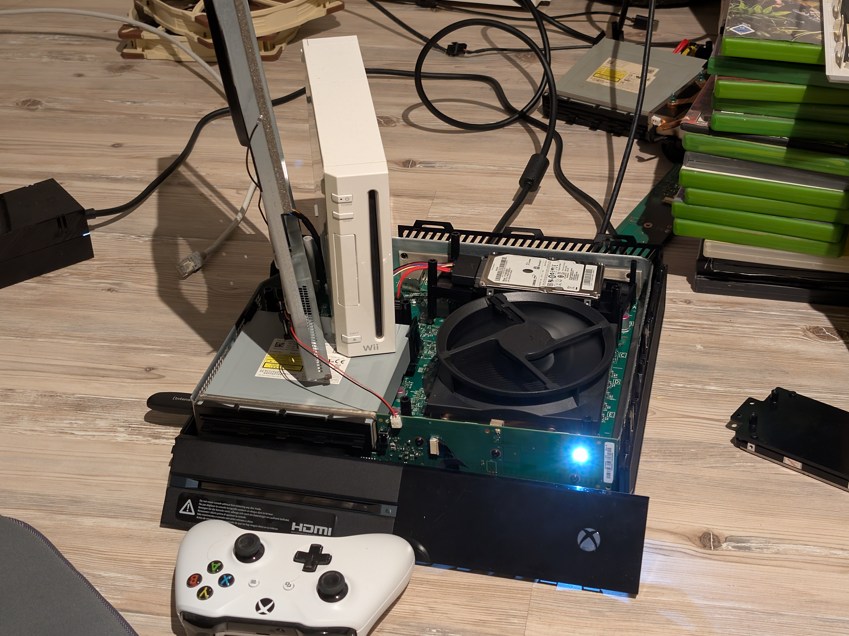
Recently I’ve got my hands on an original Xbox One with launch firmware. The seller described the console as defective without much detail. To my surprise, it did turn on and seemed to function correctly, but it wouldn’t play any games or discs. The Kinect sensor was also left disabled because it required an internet connection.
I went ahead and connected it to the network. The network test turned out fine without errors. Yet the console would complain it had no network and couldn’t update.
Well. Why not go ahead and try to reset the console to factory defaults? This will fix it, right?
crazy laugh gif
Yeah, that’s where the fun began.
Run from explosion gif
The console is now stuck in the setup wizard, still unable to connect to the internet. Too bad you actually need a working internet connection to set up the console.
Why gif
Why? The console was working, man, I just wanted to update…
But surely Microsoft has a solution for this, right? I mean, the console is from 2013, right?
Sure! There’s the Xbox Offline System Update (OSU) available from Microsoft:
Mine not included… ❌ cross this and move to next step.
Step 3: Download the Offline System Update file (OSU2 or OSU3)
For build 6.2.9781.0, use OSU3. For all other builds, use OSU2.
Ok, clear. ✅ OSU2.
I created a USB stick with OSU2 and followed Microsoft’s guide (power + hold eject + pair buttons for 15 seconds).
It actually installed OSU2. Yay!
Oh my god gif
Here I am thinking: it’s that easy? Really?
Ok, let’s continue with the next step, installing OSU1. Same procedure as OSU2. Preparing USB stick… button combo… install starts.
OSU1 update stuck at applying 3% and 64% progress
Problem: stuck. Always at the same percentages, Applying 3% and 64%.
I tried leaving it for hours, even days. No progress. No HDD noise either.
Hardware defect?
Maybe the hard drive was failing mid-update? The console is old, maybe mistreated. Could explain the silence.
I even tried formatting the HDD to NTFS in case partitioning from such an old firmware was the problem. Still nothing. After that the console would only boot in the dreaded low 640×480 safe mode resolution, which made it feel even more stuck.
Also tried using a new HDD – leads to the same mess with OSU1 being stuck:
Throwing in a freshly NTFS formatted (empty) disk and trying to start from USB stick does not work at all (just throws some Exx error).
Using a freshly NTFS formatted HDD partitioned with xboxonehdd-master and OSU1 copied into the “System Update” partition (folders A and B) also fails (Exx error).
Using a freshly NTFS formatted HDD partitioned with xboxonehdd-master and OSU2 in A/B does boot, but only leads back to the same madness – OSU1 getting stuck mid-apply.
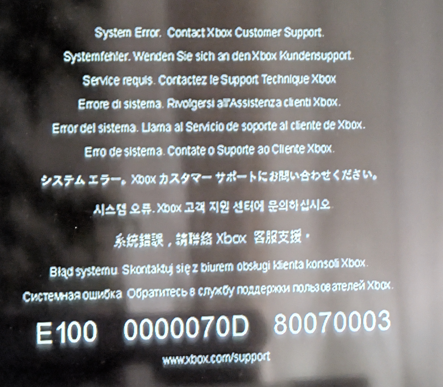
When I swapped in a new (empty) HDD, the console also instantly threw an E100 error. That one usually points to hardware or storage initialization problems. In my case it was simply because the drive had no proper system partitions yet. Once I unpacked the OSU2 files and copied over the correct A/B system folders, the console booted again and the E100 was gone.
Xbox E100 error– missing or invalid system partitions
Digging deeper
So the console was basically a brick now. Good thing I snapped the version before I touched anything:
6.2.10217.0 (xb_rel_launch.131205-2200) fre
Hold up gif
Yep. That is launch firmware. Looks like it never got a single update since 2013.
With OSU2 the console did move forward, but only to a 2015 build:
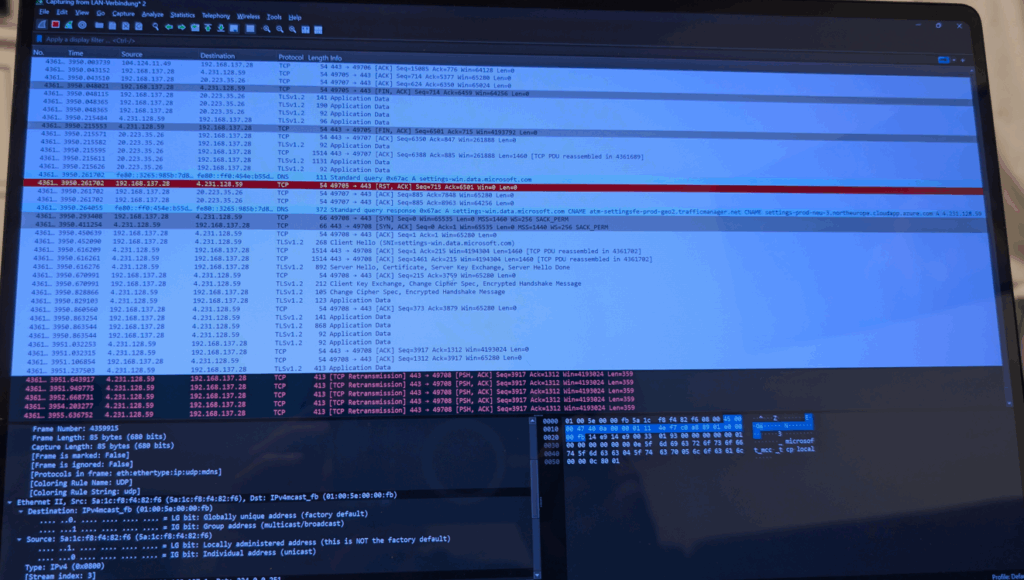
And that’s where the problem showed: this 2015 build could not talk to Microsoft’s servers anymore. Network tests passed locally, but every actual connection attempt was rejected. I double-checked with Wireshark and saw the box sending SYN packets, only to get RSTs back from the servers – no sessions ever established. It’s clear the update chain is broken. OSU2 puts you on 2015, but you can’t get the next step online.
Wireshark package capture
At this point I relied heavily on the community-documented USB NTFS overrides to know exactly which build I was on. Dropping a file called $SystemUpdate\consoles.txt onto a USB stick makes the console write its current build string in plain text. That trick was a lifesaver, because otherwise I would have been completely blind while stepping through all these failed installs.
The only way forward was to manually jump to the next available build. I grabbed the OSU packs from the Internet Archive and looked for something newer. The version strings hint at year and month, th2_xbox_rel_1602 is February 2016, so I tried that one:
This was the real turning point. That build (1602, February 2016) installed fine and, for the first time, the console could connect again. The TCP handshakes succeeded, services responded, and the box came back to life. Clear sign that Microsoft changed something on the server side between 2015 and 2016 and the official OSU chain never actually bridges that gap.
Microsoft, really? gif
Also interesting: 1602 is the first version where the modern Startup Troubleshooter finally appeared. Before that, on 2013 and 2015 builds, it simply didn’t exist.
To double-check, I ran another packet capture after flashing 1602. This time the exact same requests finally got proper SYN-ACK replies, TLS sessions spun up, and the console began pulling config and service data.
One note of caution: if you try flashing a wrong or incompatible build, you’ll most likely hit the E101 507 error. That’s basically the console telling you the update package doesn’t match.
Xbox E101 507 error – incompatible build
Final stretch
From there I prepared one more OSU1 stick. This time the update went further: past 29 percent, then 73 percent, and at 75 percent the screen finally jumped back from 640×480 safe mode. Looked healthy.
final build: 26100.4855.amd64fre.xb_flt_2506ge.250612-1215
Booted fine. No more errors. Working 100 percent now. To be sure, I dropped $SystemUpdate\consoles.txt on the USB again and confirmed the console really was on that build. Seeing the plaintext version string written out was the cherry on top after all the failed updates.
I won gif
Lessons learned
Do not factory reset a very old Xbox One. You can trap yourself in the setup wizard with no way online.
Always check the installed OS first and pick the correct OSU path.
Community archives for OSU files are gold when the official ones are missing.
Be patient. Some updates need multiple retries before they land.
Most important: Microsoft clearly changed something server side between 2015 and 2016 builds. Old firmware literally cannot talk to the services anymore. You must step up to a newer baseline before online can work again.
The whole update chain is borked. It should not be on the community to rescue consoles this way.
The official update path is broken. OSU2 leaves you on a dead build (2015) with no way forward. Without community archives, a launch Xbox One cannot be recovered.
In the end this felt like Xbox archaeology. Old firmware. New errors. Step by step until it finally clicked.
If you’ve cracked this on a launch unit, share your method, let’s map the working paths.
Collection of useful videos & links
This is a collection of links and videos I found useful while fighting with the update problem. Some are directly related, others are just interesting resources if you want to dig deeper into Xbox One internals, research, or community tools.
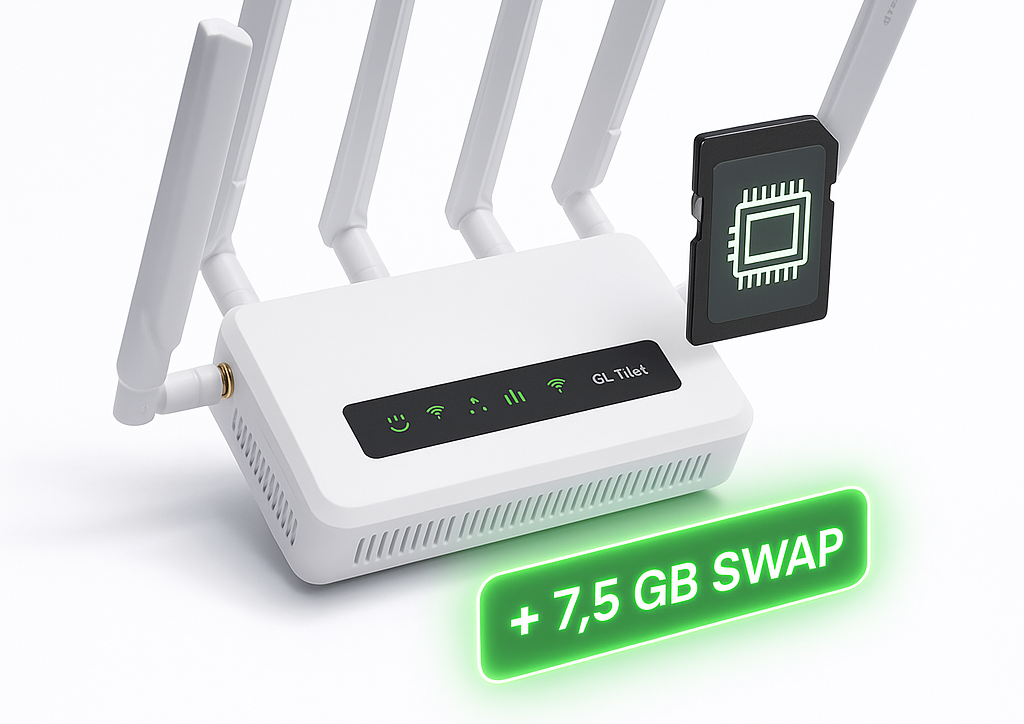
If you’re running AdGuard Home or other memory-hungry services on a device like the GL.iNet GL-X3000, you’ve probably hit the dreaded Out of Memory (OOM) errors, especially when using large blocklists like HaGeZi Pro++ or OISD.
Here’s how I gave my router a massive stability boost by converting a 7.5 GB microSD card into a full dedicated swap partition.
Heute habe ich eine Auerswald COMpact 5020 VoIP von einem ISDN Anschluss mit 2 Nutzkanälen auf VoIP mit 8 Kanälen umgestellt. Die Umstellung verlief, nicht zuletzt dank dem Auerswald Support, nach anfänglichen Problemen relativ gut.
Die Einstellungen der SoundStation IP 5000 sind meines Erachtens nach viel zu kompliziert und wenn man das erste mal davor sitzt kann es gut passieren, dass man nur Fragezeichen über dem Kopf hat. Hinzu kommt die unglaublich langsame Geschwindigkeit, vor allem beim Neustarten..
Wenn man bei einer SoundStation IP 5000 auf das Webinterface zugreifen möchte (valide IP-Konfiguration vorausgesetzt), wird man vom Webbrowser zur Eingabe von Benutzername und Passwort aufgefordert. Diese sind selbstverständlich nirgendswo Dokumentiert oder niedergeschrieben.